Hasselblad and Capture One close the studio workflow gap
Wired tethering arrives for the X2D II 100C, bringing capture and editing into one workflow.
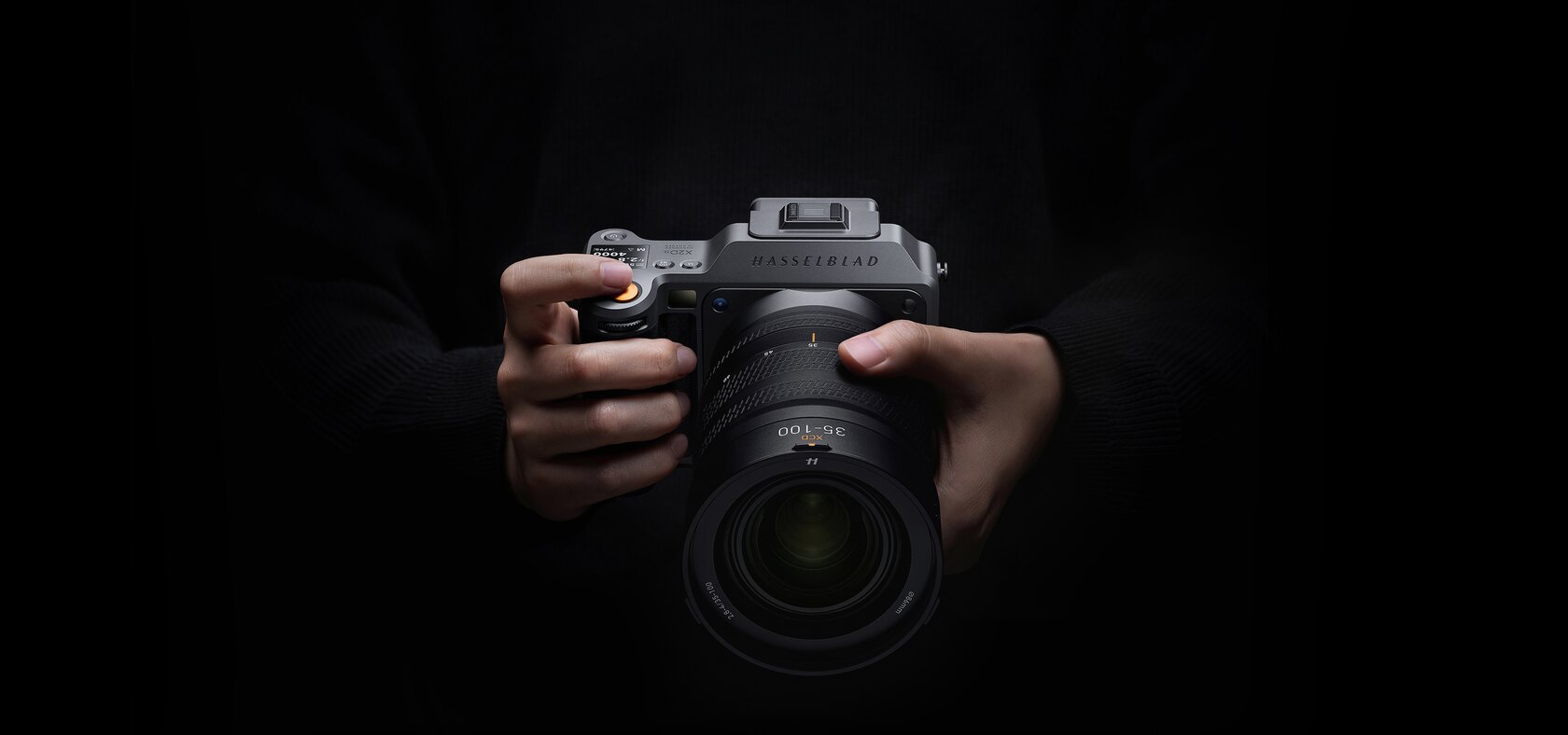
Hasselblad and Capture One have announced wired tethered shooting for the X2D II 100C. The update lets photographers connect the camera over USB and review new photographs directly in Capture One.
What you need
The combination requires camera firmware 1.4.15.7 and Capture One 16.9.1 on desktop or Mobile 4.3.0. The companies announced availability on November 18, 2026, following native RAW support introduced earlier in their partnership.
For studio teams, the practical benefit is immediate review: focus, exposure and creative direction can be checked while a set is still in place. Consult the official release and installation notes before updating a production camera.
The editorial view
A workflow update can matter more than another headline specification. If your clients already review images in Capture One, this is a compatibility change to investigate before your next job. Test your own cable, computer and capture routine before relying on it on set.
Start with the bottleneck in your own studio
The sections below are our practical workflow analysis, rather than additional manufacturer performance claims. Consider a small product session with a photographer, a stylist and a client joining remotely. If everyone evaluates different exports at different times, approval can become fragmented. The relevant question is whether a connected capture workflow helps those people make the same decision sooner, while changes are still possible.
Write down the problem before changing software. Perhaps the art director cannot judge a label’s sharpness. Perhaps the stylist sees an unwanted reflection only after the set has been dismantled. Perhaps filenames become confused between capture and retouching. These are different problems. A larger preview may help the first two; the third also needs a naming and handoff routine that the team follows consistently.
Build a small, repeatable acceptance test
Use a noncritical session to check the complete combination of camera, computer, operating system, application and cable. Photograph a textured object, a reflective object and a person moving slightly between frames. Confirm where the files arrive and whether you can locate them again after restarting the application. Keep notes about the exact configuration, so a successful test can be reproduced rather than remembered vaguely.
Then test an interruption. Disconnect and reconnect using the manufacturer’s recommended procedure. Allow the computer to sleep, wake it and confirm the expected behavior. Check what happens if the destination drive is unavailable. These are proposed tests, not claims that a particular failure exists. Discovering the boundaries in a quiet room is much easier than improvising with a waiting client.
Decide what the preview is meant to answer
A large screen can make discussion more useful, but only if the team agrees on the decision being made. One person may be checking framing while another reacts to an unfinished color treatment. Explain which aspects are provisional. Establish a neutral review stage, then show a proposed creative treatment separately when it helps the brief. This avoids approving a look when the immediate question was simply whether the product was positioned correctly.
For critical comparisons, keep the viewing conditions consistent. Moving between an unfamiliar laptop and a bright client display introduces another variable. Do not promise that a tethered image makes every screen match. Instead, identify the display used for your own decisions and provide a clear review export when the client needs to evaluate something outside the studio environment.
Give approvals a durable place to live
On-set agreement can disappear into conversation unless somebody records it. Mark the selected frame, note the requested changes and identify the person authorized to approve the result. Use filenames or another unambiguous identifier. “The second one after the close-up” is a fragile reference when images have been hidden, sorted or captured in another sequence. A short approval note can prevent a long reconstruction later.
Keep separate statuses for a promising frame, a client selection and a finished deliverable. Those stages need not use complicated software, but they should mean different things. A rating used for internal editing should not silently become the instruction to retouch. If an external proofing service is part of your workflow, verify that the selected identifiers match the originals before beginning detailed work.
Protect the original files and the working session
Capture software is only one part of protecting a shoot. Know which files exist on the camera, which exist on the workstation and which have been copied elsewhere. Verify the actual behavior of your chosen configuration; do not assume every tethering setup records to two destinations. Keep the session information and the photographs organized together so the next person can reconstruct the edit.
At the end of the session, open a sample of the copied files from the destination you intend to preserve. A folder count is useful, but it does not tell the whole story. Include the retouching brief and confirmed selections in the handoff. The objective is continuity: someone returning to the job later should understand which images matter and what work remains.
Measure the benefit without inventing a speed claim
Compare two ordinary assignments using your own records. Note the time from capture to a confirmed selection, the number of avoidable reshoots and how often feedback had to be clarified. These observations are more useful than assuming that a newly supported connection must make every studio faster. A workflow change earns its place when it solves the bottleneck you identified at the beginning.
There may also be jobs where a connected workstation adds little. A small location portrait or a rapidly moving documentary assignment can have different priorities from a controlled commercial set. Choose the arrangement that supports the assignment. The update expands a workflow option; it does not create an obligation to use that option for every photograph you make.
Schedule the change like a production decision
Leave a working setup intact until the new combination has passed your checks. Record installation requirements, allow time for a test and tell collaborators if the review process will change. Establish a fallback that does not depend on discovering an undocumented recovery procedure during the shoot. Compatibility announcements are a starting point for that work, not a substitute for it.
Our conclusion is practical: investigate the update if connected capture is central to your work, then evaluate it in the environment where you earn your living. The camera specification matters, but the successful outcome is simpler. Everyone can inspect the right frame, make a clear decision and carry that decision through to an accurately delivered final image.